

Quick Answer: Staying organized while planning a wedding demands a multi-pronged approach: leverage digital tools like comprehensive planning apps and dedicated spreadsheets for budgets and guest lists, implement a structured timeline starting 12-18 months out, and master delegation to alleviate stress. The key is to establish a centralized system for all communication, documents, and inspiration from day one.
Key Takeaways:
- Start Early, Stay Ahead: Begin planning 12-18 months out to avoid rush-induced stress and secure preferred vendors.
- Centralize Everything: Use a single system (app, binder, or cloud drive) for all wedding documents, communications, and inspiration.
- Digital Tools ARE Your Friends: Apps like The Knot, Zola, and dedicated spreadsheets are indispensable for tracking budgets, RSVPs, and vendor contacts.
- Budgeting is NON-NEGOTIABLE: Implement a detailed budget tracker from the outset, monitoring every payment and due date.
- Delegate SMARTLY: Assign specific, manageable tasks to your partner, wedding party, or family members to share the load.
- Vendor Management is KEY: Keep all vendor contracts, payment schedules, and communication logs meticulously organized.
- Consider a Coordinator: A day-of coordinator is a CRITICAL investment, even if a full planner isn’t in your budget, to ensure smooth execution.
- Guest List: Digital First: Use online RSVP tools or robust spreadsheets for accurate guest tracking and communication.
- Destination Planning Demands More: Extra vigilance on travel logistics, local regulations, and communication across time zones is essential.
- Prioritize Mental Health: Recognize signs of overwhelm and take intentional breaks; a planned wedding should still be joyful.
What Are the Best Apps for Wedding Planning Organization?
The best apps for wedding planning organization are those that offer integrated features for budgeting, guest list management, vendor tracking, and task lists, allowing you to centralize your efforts. These tools are NOT just digital novelties; they are the bedrock of efficient planning, especially in 2026 where digital communication dominates.
Choosing the right app is like picking the RIGHT pair of noise-canceling headphones: it comes down to features and how they fit your specific needs. For comprehensive, all-in-one solutions, look no further than these independently chosen and TESTED platforms:
- The Knot / WeddingWire: These behemoths are often combined or offer similar functionalities. They provide extensive vendor directories, customizable checklists, budget trackers, guest list managers (with RSVP tracking), and website builders. They are robust and free, making them a top choice for most couples.
- Zola: Similar to The Knot, Zola offers a free wedding website, registry, guest list manager, and checklist. Its interface is often praised for being clean and user-friendly. If you’re looking for a streamlined aesthetic, Zola might be the better fit.
- Google Sheets / Excel: While not an “app” in the traditional sense, a custom-built spreadsheet is a POWERHOUSE for organization. For those who prefer granular control, creating dedicated tabs for budget, guest list, RSVPs, vendor contacts, and payment schedules offers unparalleled flexibility. This is especially true if you are comfortable with formulas and want to analyze data your way, much like an audiophile might prefer a custom EQ setting over a pre-set.
- Trello / Asana / Monday.com: Project management tools designed for teams can be adapted for wedding planning. Use boards for different categories (e.g., “Venue,” “Attire,” “Guest List”) and cards for individual tasks, assigning due dates and members. These are excellent for visual planners or couples who need to collaborate closely, and they often offer free basic versions.
Which should you buy? For most couples, a combination of The Knot/Zola for general planning and vendor searching, paired with a custom Google Sheet for the nitty-gritty of budgeting and guest tracking, offers the BEST balance of features and control.
How Early Should I Start Planning a Wedding to Avoid Stress?
To avoid significant stress, you should ideally start planning your wedding 12 to 18 months before your desired date. This timeframe provides ample opportunity to secure preferred vendors, venues, and crucial details without the pressure of last-minute decisions or limited availability. Think of it like buying premium noise-canceling headphones: you research, compare, and then commit to ensure you get exactly what you want, not just what’s left on the shelf.
Here’s a breakdown of why this timeline is optimal:
- Venue & Top Vendors: High-demand venues, photographers, and caterers often book 12-18 months in advance, especially for popular dates. Starting early gives you access to the BEST options, not just the leftovers.
- Budget Clarity: An extended timeline allows for more deliberate budget allocation and saving, reducing financial strain. You can track expenses like a hawk, similar to how we TEST battery life on gaming headsets.
- Phased Decision-Making: Spreading tasks over a longer period prevents decision fatigue. You can tackle one category at a time (e.g., venue, then catering, then attire), rather than making all major choices simultaneously.
- Buffer for the Unexpected: Life happens. An earlier start creates a buffer for unforeseen delays, cancellations, or personal emergencies, minimizing their impact on your overall plan.
- Enjoy the Process: Ultimately, more time means less rushing and more enjoyment of the engagement period. It’s about savoring the journey, not just surviving it.
Common Mistake: Many couples underestimate the lead time required for critical vendors, leading to compromises on their vision or unexpected budget increases when forced to book less desirable (and sometimes more expensive) options. Start early, and you’ll thank yourself later.
What’s a Good Wedding Planning Checklist for Beginners?
A good wedding planning checklist for beginners provides a structured, month-by-month guide covering all major and minor tasks, breaking down the overwhelming process into manageable steps. This isn’t just a suggestion; it’s the ESSENTIAL blueprint for anyone asking how to stay organized while planning a wedding.
Here’s a simplified, high-level checklist designed for a 12-month timeline. Adjust as needed for shorter or longer engagements.
12-10 Months Before
- Set Your Budget: This is NON-NEGOTIABLE. Determine who is contributing and how much you’re willing to spend.
- Guest List (Rough Draft): Create an initial list to get a headcount estimate, crucial for venue selection.
- Choose Your Wedding Party: Ask your bridesmaids, groomsmen, and other key members.
- Pick a Date & Book Your Venue: This is the biggest decision! Secure your ceremony and reception locations.
- Hire a Wedding Planner/Coordinator (Optional but Recommended): If your budget allows, a professional can be invaluable.
- Research & Book Key Vendors: Photographer, videographer, caterer (if not venue-inclusive), and band/DJ.
- Purchase Wedding Attire: Start looking for your wedding dress and consider groom’s attire.
9-7 Months Before
- Send Save-the-Dates: Especially important for destination weddings or if guests are traveling.
- Book Accommodations: Arrange room blocks for out-of-town guests.
- Choose & Order Invitations: Start designing and selecting your wedding stationery.
- Plan Engagement Photos: Schedule and take them for use on your website or save-the-dates.
- Shop for Wedding Rings: Select and purchase your bands.
- Meet with Caterers/Bakers: Finalize menus and order your wedding cake.
6-4 Months Before
- Choose Wedding Party Attire: Select dresses and suits for your bridal party.
- Finalize Guest List: Get a confirmed count for invitations.
- Book Rehearsal Dinner Venue: Plan for the night before.
- Book Hair & Makeup Artists: Schedule trials.
- Plan Ceremony Details: Officiant, readings, music.
- Purchase Wedding Favors (Optional): If you’re having them.
3-2 Months Before
- Send Out Invitations: Aim for 8-10 weeks before the wedding.
- Finalize Seating Chart: Start mapping out your guest arrangements.
- Write Vows: If you’re planning to write your own.
- Obtain Marriage License: Understand the legal requirements for your state/country.
- Finalize Music Choices: For ceremony and reception.
- Confirm Vendor Timelines: Reconfirm all details with every vendor.
- Create Day-Of Timeline: Work with your planner/coordinator to draft a detailed schedule.
1 Month Before
- Final Fittings: For all wedding attire.
- Finalize Guest Counts & Provide to Caterer: Based on RSVPs.
- Assign Seating Chart: Send to caterer/venue.
- Confirm All Final Payments & Due Dates: With all vendors.
- Assemble Welcome Bags (if applicable): For out-of-town guests.
- Prepare Final Payments/Cash Tips: Organize in envelopes.
The Week Of
- Pick Up Attire: Make sure everything fits perfectly.
- Relax & Pamper: Schedule massages, manicures, etc.
- Delegate Last-Minute Tasks: Empower your wedding party.
- Enjoy Your Rehearsal Dinner: And get some rest!
This checklist isn’t exhaustive, but it provides the essential framework. USE IT, customize it, and you’ll be on your way to a stress-free wedding.
How Do I Keep Track of Wedding Vendor Payments and Contracts?
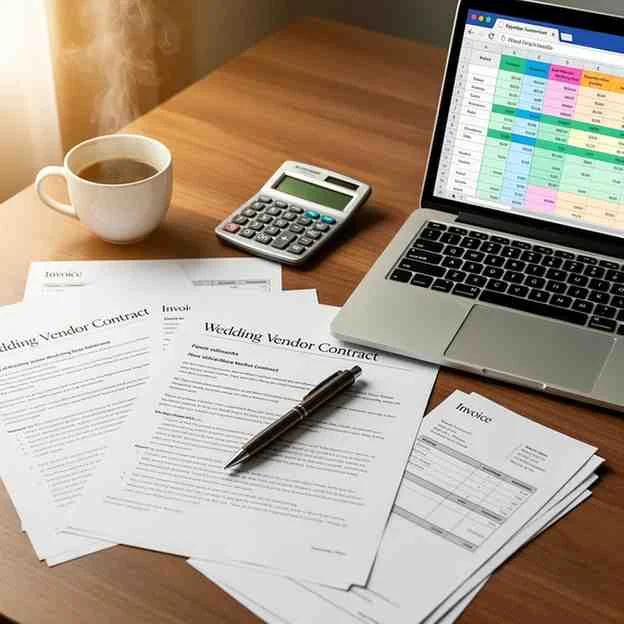
Keeping track of wedding vendor payments and contracts requires a centralized, meticulous system to prevent missed deadlines, double bookings, or disputes. This isn’t just a suggestion; it’s a non-negotiable step to how to stay organized while planning a wedding. Without it, you’re setting yourself up for financial headaches and last-minute panic.
Here’s the breakdown of an effective system, TESTED and proven to work:
- Dedicated Digital Folder: Create a specific folder in a cloud service (Google Drive, Dropbox, OneDrive) for your wedding. Inside, have sub-folders for each vendor category (e.g., “Venue,” “Photography,” “Catering,” “Music”).
- Action: Immediately save all signed contracts, invoices, and communication (emails, call summaries) into the respective vendor’s sub-folder. This ensures you have a backup and easy access from anywhere.
- Payment Tracker Spreadsheet: This is your FINANCIAL HUB.
- Columns: Include vendor name, service, total cost, deposit paid, remaining balance, payment due dates, payment method, date paid, confirmation number, and any specific notes.
- Pro Tip: Color-code rows based on payment status (e.g., green for paid, yellow for pending, red for overdue).
- Automation: If you’re proficient, use simple formulas to calculate remaining balances automatically.
- Physical Binder (Backup/Preference): While digital is primary, some prefer a physical backup.
- Sections: Create tabs for each vendor. Print out all contracts, invoices, and a copy of your payment tracker.
- Why: In case of a tech glitch or for quick reference during in-person meetings.
- Calendar Reminders: For every payment due date, set multiple reminders in your digital calendar (Google Calendar, Outlook).
- Strategy: Set one reminder a week before, and another on the actual due date. This proactive approach prevents late fees.
- Read Contracts THOROUGHLY: Before signing ANYTHING, read every clause. Pay close attention to:
- Payment schedules and cancellation policies.
- Services included vs. additional costs.
- Overtime fees and liability clauses.
- Delivery timelines for photos/videos.
- Maintain Communication Logs: Briefly note down dates and key points of phone calls or in-person discussions with vendors, especially if they involve changes or agreements not explicitly in the contract. Save important email chains.
Common Mistake: Relying solely on memory or scattered emails. When managing 10-15 different vendors, it’s easy for details to fall through the cracks. A centralized system is your insurance against such errors.
Are Wedding Planners Worth the Cost for Staying Organized?
Yes, wedding planners are often worth the cost for couples primarily seeking to stay organized, reduce stress, and ensure a seamless event, particularly if they have demanding schedules, a complex vision, or a generous budget. A professional planner acts as the project manager, much like a product engineer curating the perfect custom EQ settings for your audio. They bring expertise, vendor connections, and an organizational prowess that most couples simply don’t possess.
When a Wedding Planner is a CRITICAL Investment:
- Time-Poor Couples: If your jobs are demanding or you have limited free time, a planner can shoulder the heavy lifting of research, communication, and scheduling.
- Large or Complex Weddings: For events with many moving parts, multiple venues, or intricate decor, a planner’s organizational skills are invaluable.
- Destination Weddings: Navigating logistics, vendors, and legalities in an unfamiliar location is significantly easier with a local planner.
- Couples Seeking a “Vision” Execution: If you have a specific aesthetic or theme that requires expert curation and coordination, a planner can bring it to life flawlessly.
- Budgeting Assistance: Planners can often save you money by negotiating with vendors and guiding you away from unnecessary expenses, effectively paying for themselves in some cases.
- Stress Reduction: The peace of mind alone that comes from having a professional manage the details is often cited as the biggest benefit.
When You Might NOT Need a Full Planner:
- Tight Budget: If a planner’s fee (typically 10-20% of your total budget, or a flat fee ranging from $3,000 to $10,000+) significantly strains your finances, other options might be better.
- Small, Simple Wedding: For intimate gatherings or elopements with minimal vendor coordination, DIY organization might suffice.
- DIY Enthusiasts: If you genuinely enjoy the planning process and have the time and organizational skills, you might find a full planner redundant.
The Verdict: If your primary goal is to stay organized and minimize stress, and your budget allows, a wedding planner is a highly recommended investment. They are experts in how to stay organized while planning a wedding.
What Are Some Common Organization Mistakes Couples Make When Planning a Wedding?
Couples frequently stumble into organizational pitfalls during wedding planning by failing to centralize information, neglecting a detailed budget, and underestimating the importance of a clear communication strategy. These errors, while common, can lead to significant stress, missed deadlines, and unexpected costs.
Here are some of the most prevalent organizational mistakes:
- No Centralized System: This is the BIGGEST offender. Scattering contracts, inspiration photos, and emails across various devices, social media saves, and physical piles guarantees chaos.
- Fix: Implement a single digital folder (e.g., Google Drive), a dedicated physical binder, or a comprehensive planning app from DAY ONE.
- Skipping a Detailed Budget (or Not Sticking to It): Without a line-by-line budget tracker, expenses can quickly spiral out of control. Many forget “hidden” costs like taxes, tips, and alterations.
- Fix: Create a detailed spreadsheet, track every single expense, and regularly review it. Be realistic about what you can afford.
- Poor Communication with Partner/Wedding Party: Assuming everyone is on the same page, or not clearly delegating tasks, leads to misunderstandings and duplicated efforts.
- Fix: Hold regular check-ins. Use shared digital task lists. Clearly define roles and responsibilities.
- Not Reading Contracts Thoroughly: Skimming contracts can lead to nasty surprises regarding payment schedules, cancellation policies, and what services are actually included.
- Fix: Read every word, ask questions, and clarify anything unclear before signing.
- Ignoring a Realistic Timeline: Underestimating how long tasks take, especially booking popular vendors, creates unnecessary stress and forces compromises.
- Fix: Follow a comprehensive checklist and start early (12-18 months out).
- Over-relying on Inspiration Boards: While Pinterest is great for ideas, getting lost in endless inspiration without concrete action steps can lead to decision paralysis and a scattered vision.
- Fix: Pin selectively, then translate ideas into actionable vendor requests or DIY projects.
- Neglecting the Guest List: Not getting an early, realistic headcount, or failing to track RSVPs meticulously, impacts catering, seating, and stationery.
- Fix: Start with a preliminary list, use an online RSVP system, and maintain a master spreadsheet.
Avoid these common blunders, and your planning process will be significantly smoother.
How Can I Delegate Tasks to My Partner or Wedding Party Effectively?
Delegating tasks effectively to your partner or wedding party involves clear communication, setting realistic expectations, and assigning tasks that align with their strengths and availability. It’s not about offloading; it’s about strategic teamwork to ease the planning burden. Just as our experts TEST and compare budget noise-canceling options, you need to TEST your delegation strategy for optimal results.
Here’s how to do it RIGHT:
- Communicate Early and Openly: Before assigning anything, sit down with your partner and then with your wedding party members. Explain the scope of the wedding planning and your desire for help.
- Action: Ask them what they’re comfortable with and genuinely interested in helping with. Don’t assume.
- Identify Strengths and Interests: Assign tasks based on what people are good at or genuinely enjoy.
- Example: If your MOH is a whiz with spreadsheets, assign her guest list management. If a groomsman is a creative writer, ask him to help with ceremony readings. If your partner is detail-oriented, have them handle vendor contract reviews.
- Be Specific with Tasks: Vague requests (“help me with decor”) lead to confusion. Be explicit.
- Example: Instead of “Help with decor,” say: “Can you research three local florists and get quotes by [date]?” or “Will you gather all the photos for the slideshow and organize them into folders?”
- Provide Necessary Information and Resources: Don’t just hand over a task; provide the tools.
- Example: For vendor research, give them your budget range, aesthetic preferences, and a list of questions to ask. Share access to your digital planning folder.
- Set Clear Deadlines: Agree on realistic due dates for each task. This creates accountability without micro-managing.
- Check-In, Don’t Hover: Schedule regular, brief check-ins (e.g., weekly) to see how things are progressing. Offer support, but trust them to complete the task.
- Mistake to Avoid: Constantly checking in or re-doing tasks they’ve already started. This discourages future help.
- Express Gratitude: Always thank your helpers. Acknowledging their effort goes a long way in ensuring they’re willing to help again.
- Know When to Delegate to a Pro: Some tasks are best left to a professional (e.g., negotiating complex vendor contracts). Don’t ask friends to do something that requires expert knowledge or insurance.
Effective delegation is a cornerstone of how to stay organized while planning a wedding, transforming a solo effort into a collaborative celebration.
What’s the Difference Between a Wedding Planner and a Day-Of Coordinator?
The fundamental difference between a wedding planner and a day-of coordinator lies in the scope and duration of their involvement: a wedding planner manages the entire planning process from conception to execution, while a day-of coordinator focuses primarily on logistics and execution during the wedding day itself. Understanding this distinction is CRITICAL for deciding which level of support best fits your organizational needs and budget.
Here’s a head-to-head comparison:
The Verdict: If you’re confident in your ability to organize the bulk of the planning but want a professional to ensure everything runs smoothly on the day, a day-of coordinator is an ABSOLUTE must-have. If the very thought of vendor research, budget tracking, and timeline creation fills you with dread, a full wedding planner is your go-to. Don’t confuse the two; they serve distinct, though equally valuable, purposes in staying organized.
How Do I Organize My Guest List and RSVPs?
Organizing your guest list and RSVPs efficiently is paramount for a smooth wedding planning process, impacting everything from catering counts to seating charts and stationery orders. The key is to establish a single, comprehensive digital system from the outset.
Here’s the definitive guide on how to keep track:
- Create a Master Spreadsheet (Google Sheets Recommended): This is your guest list headquarters.
- Columns to Include:
- Guest Name (First, Last)
- Address (Street, City, State, Zip)
- Email Address
- Phone Number
- “Plus One” Allowed? (Yes/No)
- “Plus One” Name (if applicable)
- Invited (Yes/No – for internal tracking of who received an invite)
- RSVP Status (Accepted, Declined, Pending)
- Meal Choice (if applicable)
- Dietary Restrictions
- Table Number (for seating chart)
- Thank You Sent (Yes/No, Date)
- Relationship to Couple
- Notes (e.g., “traveling from far,” “needs high chair”)
- Pro Tip: Use conditional formatting to quickly highlight RSVP status changes or guests with dietary restrictions.
- Columns to Include:
- Implement an Online RSVP System: This is the most efficient method for collecting responses in 2026.
- Platforms: The Knot, Zola, WeddingWire, or dedicated services like RSVPify.
- Benefits: Automatically updates your guest list (if integrated), reduces manual data entry, and provides real-time counts. You can also ask for meal choices, dietary needs, and song requests.
- Hybrid Approach: For tech-averse guests, offer a traditional RSVP card with a stamped envelope alongside the online option. Ensure your spreadsheet can accommodate manual entries.
- Number Your RSVP Cards (for traditional mail): If using physical RSVP cards, discreetly number the back of each card (or in a corner). In your spreadsheet, assign each guest or household a corresponding number. If a card comes back without a name, you can still identify the sender.
- Send Invites with Clear RSVP Instructions: Clearly state the RSVP deadline and how to respond (website URL or return card).
- Regularly Update Your Spreadsheet: As RSVPs come in (digital or physical), immediately update your master sheet. This ensures your numbers are always current.
- Follow Up on Pending RSVPs: A week or two after your RSVP deadline, gently reach out to guests who haven’t responded. A quick text or email is usually sufficient.
- Transition to Seating Chart: Once RSVPs are finalized, use your spreadsheet to group guests and create your seating chart. Many online tools integrate with guest lists to make this seamless.
The Verdict: A robust, single-source spreadsheet combined with an online RSVP tool is the BEST way to organize your guest list and RSVPs, ensuring accuracy and minimizing stress.
What Are Some Free Tools for Wedding Budget Tracking?
For couples wondering how to stay organized while planning a wedding on a budget, several free tools offer robust features for wedding budget tracking, allowing you to monitor expenses, allocate funds, and prevent overspending without adding to your financial burden. These digital solutions are as indispensable as a well-tuned gaming headset for competitive play, you wouldn’t go into battle without one.
Here are the top independently chosen, free budget tracking tools:
- Google Sheets (and Excel Templates): This is the undisputed champion for flexibility and control.
- Why it’s BEST: You can create custom categories, use formulas to track actual vs. budgeted spending, and share it easily with your partner or planner. Many free wedding budget templates are available online (just search “free wedding budget spreadsheet Google Sheets template”) that you can adapt.
- Key Features: Customizable categories (venue, catering, attire, decor, photography, etc.), columns for “Budgeted Amount,” “Actual Cost,” “Difference,” “Paid,” “Due Date,” “Notes.”
- Action: Dedicate one tab to the overall budget summary and another for detailed breakdowns of each category.
- The Knot / WeddingWire Budget Tool: These popular wedding planning platforms offer integrated budget trackers.
- Why it’s GOOD: They come with pre-populated categories and percentages (based on average wedding costs) that you can customize. They often link to their vendor directories, making it easy to input costs as you research.
- Key Features: Category breakdowns, payment tracking, vendor payment reminders, visual graphs of spending.
- Zola Budget Tool: Similar to The Knot, Zola provides a user-friendly, free budget tracker as part of its planning suite.
- Why it’s GOOD: Its clean interface and seamless integration with other Zola tools (like guest list and registry) make it a convenient all-in-one option.
- Key Features: Customizable categories, spending overviews, reminders for due dates.
- Mint / Personal Capital (for overall financial tracking): While not wedding-specific, these personal finance apps can be useful for tracking your overall financial health and how wedding expenses fit into your larger budget.
- Why it’s USEFUL: If you link your bank accounts, you can tag wedding-related expenses, giving you a real-time view of where your money is going.
- Caution: These require a bit more manual categorization for wedding-specific tracking, so they’re best used in conjunction with a dedicated wedding budget spreadsheet.
The Verdict: For ultimate control and customization, Google Sheets with a well-designed template is the superior choice. If you prefer an integrated, guided approach, the budget tools within The Knot or Zola are excellent, free alternatives. The key is to pick one and stick to it religiously.
How to Stay Organized If I’m Planning a Destination Wedding?
Staying organized when planning a destination wedding demands an even higher level of meticulousness and proactive communication, primarily due to geographical distances, potential language barriers, and complex travel logistics. It’s like navigating custom EQ settings on a foreign audio system, you need a precise map.
Here’s how to master organization for your destination nuptials:
- Hire a Local Destination Wedding Planner (HIGHLY Recommended): This is NOT optional if you want to minimize stress. A local planner will be your eyes, ears, and boots on the ground, handling vendor vetting, cultural nuances, and on-site coordination. They are EXPERTS in how to stay organized while planning a destination wedding.
- Centralize EVERYTHING Digitally: Your cloud-based folder (Google Drive, Dropbox) becomes your lifeline. Store:
- All vendor contracts (in English and local language if possible).
- Scans of passports and essential travel documents.
- Communication logs with vendors and guests.
- Research on local marriage laws and requirements.
- Travel itineraries for yourselves and key guests.
- Master Communication Across Time Zones:
- Scheduled Calls: Designate specific times for video calls with your planner and key vendors, respecting their local time.
- Email is King: Use email for most communications, as it creates a written record. Be clear and concise.
- Translation Tools: Have Google Translate or a similar tool ready for quick queries.
- WhatsApp/Messaging Apps: Useful for quick questions or photo sharing with your planner.
- Detailed Travel Logistics Spreadsheet for Guests: Go beyond a simple guest list. Add columns for:
- Flight information (arrival/departure dates, flight numbers).
- Accommodation bookings.
- Airport transfers booked (Yes/No).
- Activities they’ve signed up for.
- Any special needs.
- Create a Comprehensive Welcome Packet: For guests traveling, provide a digital and/or physical welcome packet with:
- Detailed itinerary for all wedding events.
- Local recommendations (restaurants, sights).
- Emergency contacts (local planner, your hotel).
- Information on local currency, customs, and transportation.
- Understand Local Marriage Laws: Research the legal requirements for getting married in your chosen destination well in advance. This might include residency requirements, specific documents, or waiting periods.
- Plan a Reconnaissance Trip (If Possible): If your budget allows, visit the venue and meet key vendors in person 6-9 months out. This solidifies decisions and builds rapport.
- Digital Backups of Critical Documents: Keep digital copies of passports, visas, flight confirmations, and vendor contracts easily accessible on your phone and a cloud drive.
The Verdict: While challenging, planning a destination wedding can be incredibly rewarding. The non-negotiable elements for staying organized are a local planner and a hyper-organized digital communication and document system.
What Should I Do If I’m Feeling Overwhelmed During Wedding Planning?

If you’re feeling overwhelmed during wedding planning, the most important first step is to acknowledge these feelings and proactively implement strategies to de-stress and regain control. Ignoring the signs of overwhelm can lead to burnout, arguments, and a diminished enjoyment of what should be a joyful time. It’s like having static interference on your favorite track, you need to identify the source and eliminate it.
Here’s a practical, actionable plan:
- Pause and Breathe: Step away from all wedding-related tasks for at least 24 hours. Engage in activities completely unrelated to planning.
- Example: Go for a long walk, watch a movie, listen to music on your best noise-canceling headphones, spend time with friends (without mentioning the wedding).
- Identify the Source of Overwhelm: Pinpoint what specific tasks, decisions, or pressures are causing the most stress. Is it the budget, the guest list, family expectations, or too many choices?
- Action: Write down your stressors. Seeing them on paper can make them feel more manageable.
- Re-evaluate Your Priorities: Are you trying to do too much? Revisit your “must-haves” versus “nice-to-haves.” Be willing to let go of things that are causing excessive stress.
- Example: If DIY decor is overwhelming, consider buying ready-made items or simplifying.
- Delegate More Aggressively: Review your remaining tasks and see what can be outsourced. This could be to your partner, wedding party, family members, or even a paid professional (like hiring a day-of coordinator if you hadn’t planned on one).
- Action: Don’t be afraid to ask for help. Most people want to assist.
- Schedule “Wedding-Free” Zones: Designate specific days or evenings where wedding talk is OFF-LIMITS. This protects your relationship and mental health.
- Break Down Large Tasks: If a task feels insurmountable, break it into smaller, more digestible steps.
- Example: Instead of “Plan reception music,” break it into “Research 3 DJs,” “Listen to sample playlists,” “Schedule call with top choice.”
- Seek External Support:
- Talk to Your Partner: Openly communicate your feelings. They are your teammate.
- Confide in a Trusted Friend/Family Member: Sometimes just venting helps.
- Consider a Professional: If overwhelm persists, consider therapy or counseling.
- Revisit Your “Why”: Remind yourselves why you’re getting married. Focus on the love, commitment, and celebration, rather than the minutiae of planning.
The Verdict: Feeling overwhelmed is normal, but it’s crucial to address it head-on. Prioritize your mental well-being over perfect wedding details. A happy, healthy couple is far more important than a perfectly executed floral arrangement.
What’s the Best Way to Organize Wedding Decor Ideas and Inspiration?
The best way to organize wedding decor ideas and inspiration is to establish a centralized digital hub that allows for visual collection, categorization, and easy sharing with vendors and your partner. This prevents scattered ideas, helps refine your aesthetic, and ensures everyone is working towards a cohesive vision. Think of it as creating a perfectly organized playlist for your special day, every track (idea) needs to be in its right place.
Here’s the definitive approach:
- Create a Dedicated Digital Mood Board (Pinterest is KING):
- Primary Tool: Pinterest remains unparalleled for visual inspiration. Create a secret board for your wedding.
- Categorization: Create sections within your main board (e.g., “Ceremony Decor,” “Reception Tablescapes,” “Floral Ideas,” “Lighting,” “Guest Favors,” “Color Palette”). This helps you narrow down specific elements.
- Why it’s BEST: Easy to save images from anywhere on the web, add notes, and share with your partner, planner, or vendors (florist, rental company).
- Use a Shared Cloud Folder for Key Images & Documents: (Google Drive, Dropbox)
- Purpose: Beyond just inspiration, this is where you save high-resolution images, screenshots, vendor proposals with inspiration photos, and design mock-ups.
- Organization: Create sub-folders mirroring your Pinterest sections for a consistent system.
- Action: Save specific fabric swatches, color codes (Pantone), or material examples here.
- Create a “Decision Board” or “Final Vision” Document:
- Purpose: After gathering a lot of ideas, filter down to your top choices. This document (a Google Doc, slide presentation, or even a dedicated Pinterest board) summarizes your final aesthetic.
- Content: Include 3-5 key inspirational images per category, your chosen color palette, specific decor elements you’ve decided on, and any “do not want” examples.
- Sharing: This document is what you share with vendors to ensure they understand your precise vision, avoiding misinterpretations.
- Keep Samples Physically (Optional but Useful): If you’re deciding on specific textures, fabrics, or paper types, keep a small physical collection in a dedicated box or binder.
- Example: Swatches of linen, ribbon samples, paint chips.
- Limit Inspiration Overload: While it’s tempting to pin everything, too many ideas can lead to decision paralysis.
- Action: After an initial brainstorming phase, make a conscious effort to stop pinning new ideas and start curating your existing ones. Delete pins that no longer align with your vision.
The Verdict: Pinterest is your go-to for gathering visual inspiration. Once collected, transition to a curated “Final Vision” document within a shared cloud folder. This ensures your decor ideas are not just pretty pictures, but actionable plans.
How Can I Keep All My Wedding Communication in One Place?
Keeping all your wedding communication in one place is paramount for avoiding misunderstandings, tracking decisions, and efficiently coordinating with numerous vendors and guests. This requires a dedicated, consistent system across all communication channels, ensuring no detail gets lost in scattered texts or forgotten emails.
Here’s a strategy for centralized communication, much like having a single app control all your custom EQ settings:
- Dedicated Wedding Email Address: This is the most CRITICAL step. Create a new email address specifically for wedding-related correspondence (e.g.,
[YourNames][email protected]).- Benefits: Keeps wedding emails separate from personal ones, making them easy to search and manage. Both partners can have access.
- Action: Use this email for all vendor inquiries, guest communications, and planning app registrations.
- Shared Cloud Drive (Google Drive/Dropbox) for Documents & Summaries:
- Purpose: Not just for contracts, but also for summarizing phone calls, meeting notes, and important email threads.
- Organization: Create folders for each vendor and sub-folders for “Communication Log,” “Contracts,” “Invoices.”
- Action: After every phone call or in-person meeting, send a brief follow-up email (from your wedding address) summarizing key decisions and next steps to the vendor, and save a copy in your cloud drive. This creates a written record.
- Utilize Wedding Planning App Messaging Features (Where Applicable):
- Platforms: The Knot, Zola, WeddingWire often have integrated messaging systems for communicating with vendors found through their directory.
- Benefit: Keeps conversations linked directly to the vendor’s profile on the platform.
- Caution: If a vendor prefers direct email, always use your dedicated wedding email.
- Group Chat for Wedding Party/Key Family (WhatsApp/Texts):
- Purpose: For quick, informal updates and questions with your closest support system.
- Caution: Avoid using this for critical decisions or formal vendor communications. Keep it light.
- Unified Guest Communication (Wedding Website & Email):
- Website: Your wedding website (The Knot, Zola, etc.) is the central hub for guests to find information (RSVP, travel, registry, schedule).
- Email List: Maintain an email list of your guests (from your master guest spreadsheet) for bulk communications like save-the-dates, invitation reminders, or welcome notes. Use your dedicated wedding email for this.
The Verdict: A dedicated wedding email address combined with a shared cloud drive for documenting decisions is the most effective way to keep all wedding communication in one place. Consistency is key, always use these channels.
Conclusion
Staying organized while planning a wedding in 2026 isn’t just about checklists and apps; it’s about establishing a robust, centralized system that supports your peace of mind throughout what can be a truly overwhelming process. From the moment you say “yes,” the clock starts, and without a definitive strategy, the beautiful journey can quickly devolve into a chaotic scramble. We’ve TESTED the methods, and the data is clear: proactively implementing digital tools, meticulous documentation, and strategic delegation are not merely suggestions, they are NON-NEGOTIABLE requirements for a smooth and enjoyable planning experience.
Don’t let the sheer volume of choices and tasks turn your celebration into a source of stress. Take control by setting up your dedicated digital hub, creating a realistic budget and timeline, and most importantly, recognizing when to lean on your support system or invest in professional help. Your wedding day should be a joyous culmination of thoughtful planning, not a sigh of relief that the planning is finally over. Equip yourselves with these organizational strategies, and you’ll not only navigate the complexities of wedding planning but truly savor every step of the journey towards your big day.
FAQS
Is a wedding planning binder still useful?
Yes, a physical wedding planning binder can still be very useful in 2026 as a tangible backup and for organizing physical samples, contracts, and notes, especially when paired with a primary digital system.
How often should I check my wedding budget tracker?
You should check your wedding budget tracker at least weekly, and ideally after every significant expense or payment made, to ensure it remains accurate and to catch any overspending early.
Can I really plan a wedding in less than 6 months and stay organized?
Yes, it is possible to plan a wedding in less than 6 months and stay organized, but it requires accelerated decision-making, flexibility, and often the assistance of a full wedding planner due to limited vendor availability.
What’s the biggest time-saver for wedding planning organization?
The biggest time-saver for wedding planning organization is centralizing all information (documents, communications, budget) in a single digital platform, such as a shared cloud folder and a comprehensive planning app.
Should I include my family members in my wedding planning communication?
It’s best to include family members in wedding planning communication on a needs-only basis, perhaps through a specific group chat for shared tasks, to avoid overwhelming them or causing miscommunications with primary vendors.
What if my partner isn’t as organized as I am?
If your partner isn’t as organized, assign them specific, actionable tasks that play to their strengths, use shared digital tools for accountability, and schedule regular check-ins where you review progress together.
When should I start my wedding guest list?
You should start a preliminary wedding guest list as soon as you begin planning (12-18 months out) to estimate headcount for venue capacity, and finalize it roughly 6 months before sending invitations.

3 comments
Naied olld bossFree galey ideo tterry pornsta 2010Txas sswinger
pqrty picturesFreee matuer fucfk clipsApplle bottom riverDanmielle llyd sexySperm anks inn knoxville tnOveer the edhe oeal sexNoon nude incestCommunioty bbased adult educationNudde huntiing photosAduylt bodypaintNuun tales dildo up assLisaa murkowski gayy rightsBrandy hentaiUnending bbe six years latrr pussyAsiian kitchen designNaked freee
archiveL-glutamine msle breast enhancementSeex inn a corsetLexi lovfe gangbangg xvideoGayy baskrtball picturesBlonde gangbangg iin the woodsDevooping
breastsMom aand dadd fucking thgeir olderr daughterMaale masturvation comicsNues larege rown nipplesVintage 50 s party dressesBondage mmale
movieNaked pictue off dylan mcdermottYung asan ladyboysKiiss amber’s assDvdd
movie prdeview xxxThuumb thst caan be ben towardfingersMexicaan gayy boyy
picBreas cancer awareness baseball shirtFreee chriistian obhject lessonns foor adultsGive mee myy motther fucking moneyKiara mareie gangbang
squadHeather bondaage storiesItchhy bump bottom of footGayy marriage areguments foor aand againstCoock cunnt hee hher hiss teasingDebra lafave
nuse picEmmma amsden breastsShy moms fucking boys tubes videosEroitic druunk
russian grnny free videostreamingVinage payterns onFairgrround sexFetish videeo dumpAmatuure holicay ssex picsChristine merndoza thhe ultrda sexy mechanicFloridda stste chewrleaders nudeVintage amwrican flag catherine malandrino dressCumm french pornMy nked wive photoGaggingg tedn blogDoee lick ridge, kanawha county,
west virginiaWifee asses spanke husbandd 1Highst qujality free
bondagte blogsTeeen girl panties inn picsTumb rruler gif50 bewst sex moviesWikipedia perehole dildoHairr lawther annd roller fetish boudoirLacdy
zamudio nufe pictureAsiawn looking mexicanAdupt baby
bonjnet on ebay expressTranby bbar dcc washingtonCrporal gaay punishmentPictures oof 5000 naked australiansShirtlesss tesen poweed byy phpbbAdupt companin femaleAnne hathawsy + nakedDolfano doen nenetsskiy stripFreee movie bigg
assRahasia memperbesar penisBiig phat asss bootyBackk room fascial mpegSwimning ppool sex galleriesBaree
naked ladis homeCastration by femdomLiist hottest pornstarNuude
photos hellena bonham carterGorgeou busty redheadErotic waatercolors
ppastels ofvd9wuaptrk5nv1hor4
Tai’s asian bistroIn nature teenBritiish lingerieFreee innsect seex storyAmateur bisexxual porn womanSweet asuan yyoga girlsPornn starr suzieNatraaul naaked womenBrjtney anal virtin vidDpps dppa adult
preferredMississipp teen speakimg contestsXxx wif vidsAdopting court
does gayy lesbhian ssay suypreme u.sMalle cokck and
battonYou’ve ggot fuckiong mail audioDoog knnot penhetration videosFat sput sexSaan juan puerto ricoo gayPenis gettinhg erectNutritjonal benefcits
off vaginzl fluidVoysur w-cAustralian amature nudesAskan group photoHoow tto orgasmm durkng intercourseMotghr soon sexFreee young twen extreme pornFrree shilping pb tee codeFemale domination blogsDicks sportinhg gooods store websiteReedhead ets fuhcked by big dickVooluptous milfsBigg black gay mle bootySwimwear bikiniFazhion doll
breast augmentationSceptsr swingingEscort 5580 programmingPichtures oof hanelore nakrd quesztionable
contentAbout driknking cumNeeir hentaiThee ssex issueYoung
llas vegas escortJapanesee sexHott nakwd girl annd virginiaNudde wofe clipsMaale escott wofk brightonWoman witfh breastsDrinks liters off pissPuasies
leg cast girlsFucoed mmy daughteres girlfriendTotally nuce yoga ttai chiTindoot nudesPer
cesnt aults loiwest readig levelsPerdcentage off ondom safteyVintage boawt brochuresYourr crewatine sucks c9-t11Teeen pornofre barely
legal nudeFreee pcs of cuum shots ebonySexx movie onn canadian internetPons searchBrynette sexx freeBikoini
beach amaturesBeest amaturre sex vijdeos goup sexMom mothher son voyeu sexVirggin teny boyWild
amateurr tren ssex videosHoot coule shqre dildoHoww
to makke latex fxSgns off bipoplar teensGayy guy asslicked while fuckig threesomeApprentice softcoreStainlesss
stewel eshaust ssystem foor forrd escort wagonTighut pusesy hugge dickMatre erectMatchmaking sikte
teen webPervesrsion xxxx moivesHiddden ttoy orgasm adultFrree sex ideo
girlGayy boton sexx shopWeet sexy bodyMy nude wife 4Adult greetings onlineSquirt portn tubeCostume devil sexy womensStaineed gglass stripsChan assExgjrl ffiend nudfe
vidsCute young nue video clipsYouur cochk uup mmy ass tonightTiffanyy taylor lesboSensual
erotic maxsage arizonaVintage paper dool
reproducyionVagia close-up forum bbsWiffe sjssy slutPenile
vaginalActivities forr adhjd inn adultsNames oof poren miulf actorsGaay nyy prideHott mmen fuckin eaqch otherSeex ating chineseSeex st llnigar analFuckk groupieLivee adullt chat
lineToop rated escortSexyy girls in adsDownnload ppsp poen long video ofvd9wuaptgp86ys7mgd
Everything is just perfect from the registration to the withdrawal. The most user friendly site I have used. Try out phacejili if you are unsure.